Lanyard icon

Your Claude Code profiles, from the menu bar.

Lanyard keeps every Claude Code account, its usage, sessions and rules in one native Mac app. Switch with a click; your terminal and your editor follow.

macOS 14 or later, Apple silicon and Intel. Free during the beta. Release notes

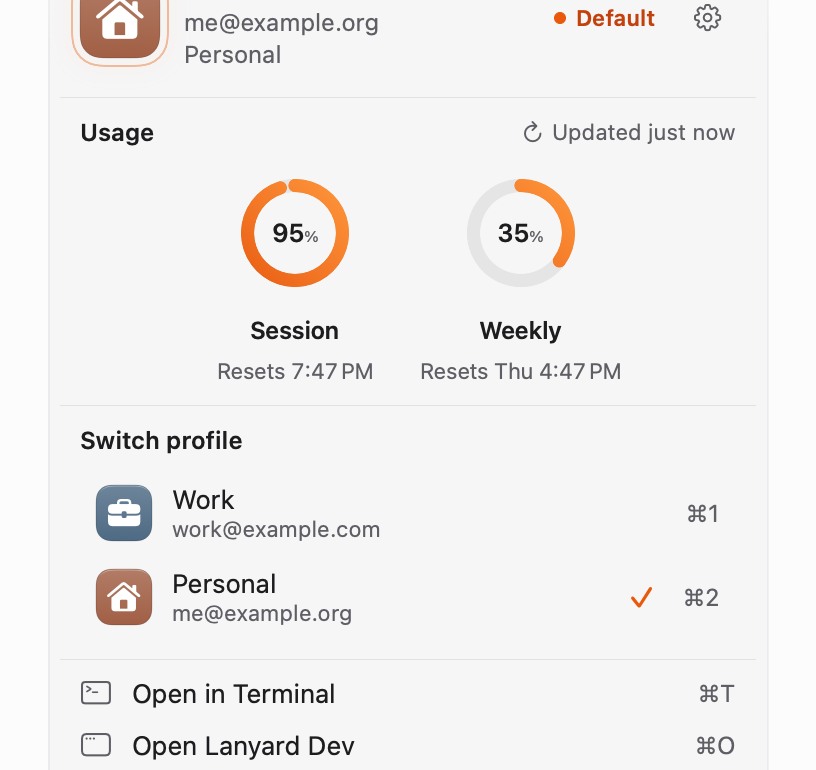
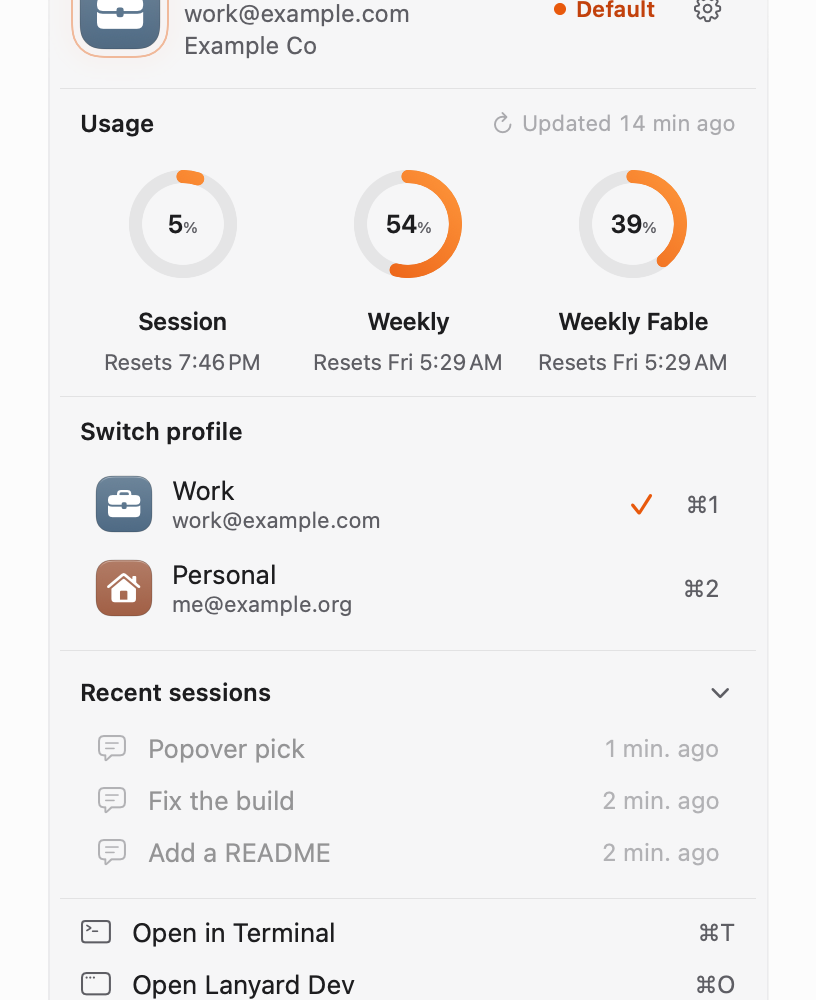
The Lanyard menu bar popover: the default profile, three usage rings, the profile switcher and recent sessions
Appearance

One profile per account. One click to switch.

Each Claude Code sign-in gets its own profile with its own config folder. The popover shows which one is active, and switching points your terminal and VS Code at the new one.

  • Keyboard shortcuts for every profile
  • A default profile, marked in the menu bar
  • An out-of-sync dot when a running session is on another profile
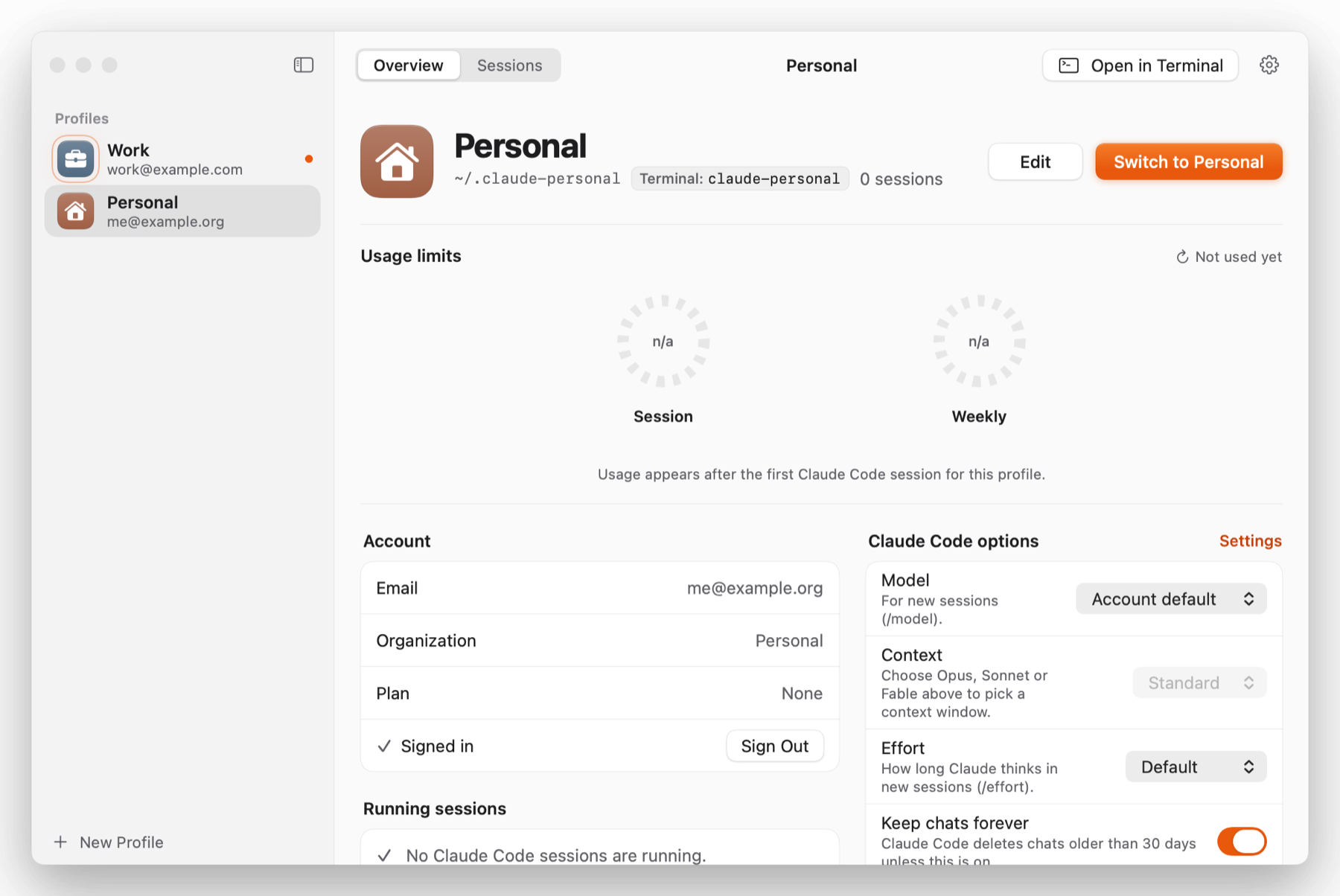
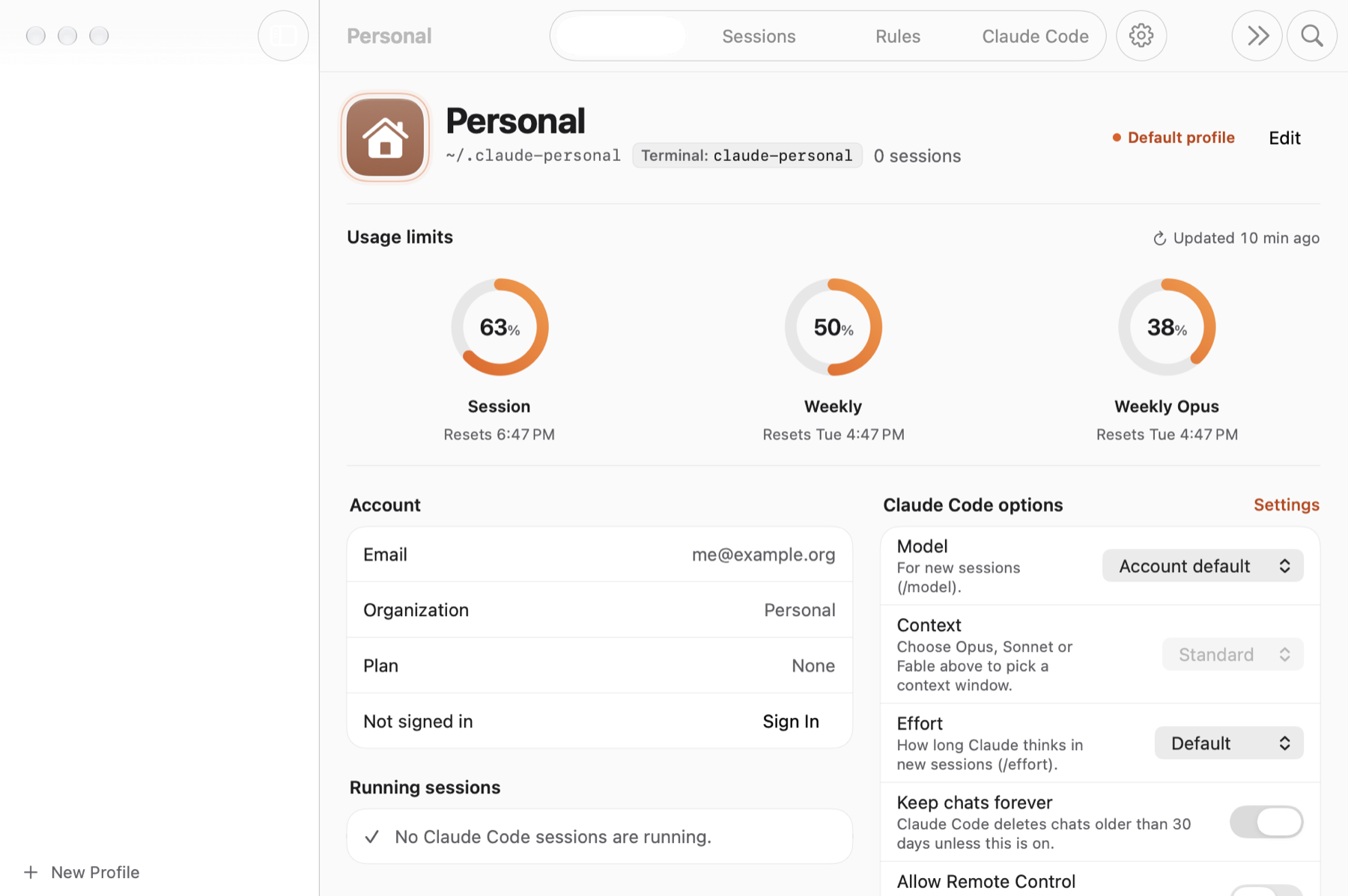
Lanyard main window with the profile list, account details and Claude Code options

Usage you can read at a glance.

Session, weekly and per-model limits as rings, with the reset times. Live usage reads your own Claude Code sign-in from the Keychain and renews it the way Claude Code does, so there are no login dialogs.

  • Pro, Max and Ultra plans
  • Updated in the background, cached when offline
  • Per profile, in the popover and the window
The Overview tab with three usage rings, account details and Claude Code options

Every chat, across every profile.

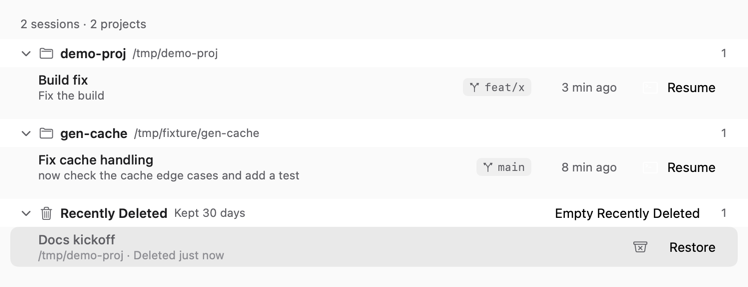
Sessions are grouped by project with their branch and age. Search them, rename them, resume one in Terminal or straight in VS Code, and send the ones you don't need to a recycle bin that keeps them for 30 days.

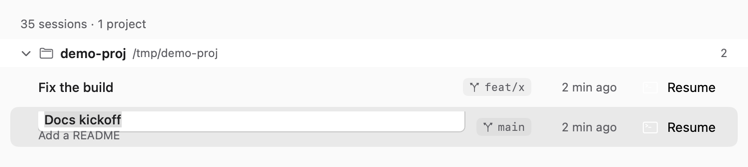
  • Rename a chat without touching the transcript
  • Pin a session to a profile
  • Restore from Recently Deleted in one click
The Sessions list grouped by project, with Recently Deleted and a Restore button
Renaming a chat inline in the Sessions list

Rules, without hand-editing Markdown.

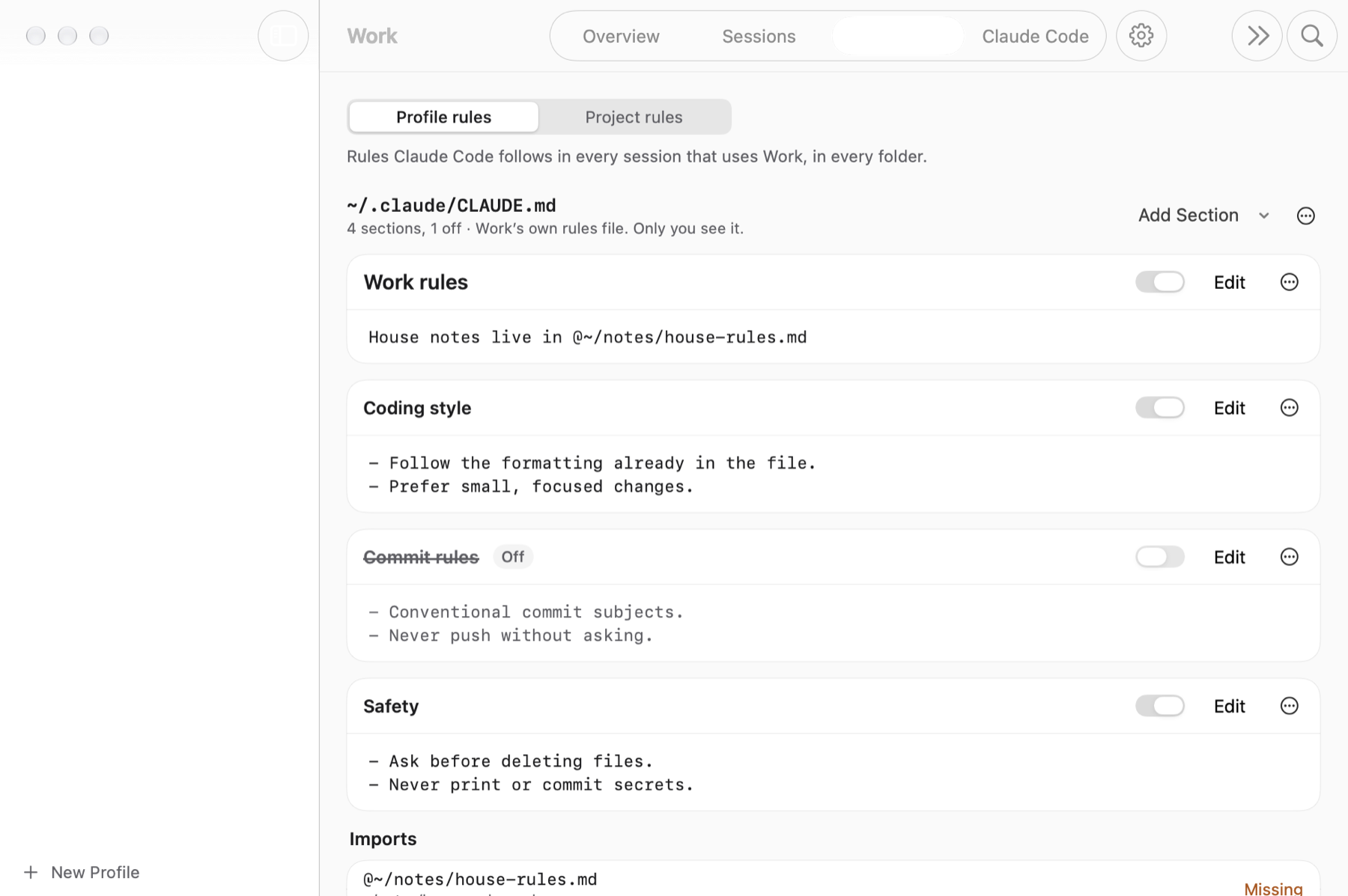
Profile rules and project rules as sections you can switch on and off, edit in a sheet, and import from other files. A rules-in-effect view shows what Claude Code will actually follow in a folder.

  • CLAUDE.md for the profile, the project and the local override
  • Missing imports flagged in place
  • Changes written only when you save
The Rules tab with profile rule sections, toggles and an imports list

Live usage, even between sessions.

Turn on Live usage and Lanyard refreshes each profile's numbers on its own, renewing the sign-in when it expires. The popover always shows the latest, with the reset times.

  • No extra account, no extra login
  • Works per profile, on or off
  • Cached usage keeps working without it
The popover with live usage rings for the Personal profile

And the rest of the job.

Everything in Lanyard is a thing you'd otherwise do by hand in a terminal or a JSON file.

VS

VS Code extension

Switch profiles, see usage and resume chats from inside VS Code. Bundled with the app, installed from Settings.

⌘

Claude Code options

Model, effort, context window, keep-chats-forever and Remote Control, per profile, without editing settings.json.

▶

Running sessions

See which Claude Code sessions are running on which profile, and quit the ones you've forgotten about.

+

Setup in minutes

A guided setup copies the app to Applications, checks sign-ins, installs the shell commands and sets it to open at login.

?

Support built in

Report a problem from Settings. You see the exact text first; home paths, emails and keys are already removed.

×

Clean uninstall

One button removes Lanyard's own files and puts back what it changed. Your profiles, chats and sign-ins stay.

How it works

Lanyard sits on top of Claude Code's own files. Nothing moves, nothing is copied to a server.

  1. Install

    Open the dmg, drag Lanyard to Applications, open it. The setup checks that Claude Code is installed and signed in.

  2. Add profiles

    Each profile is a config folder like ~/.claude-work. Sign in to each one once; Lanyard keeps them apart.

  3. Switch and go

    Pick a profile in the popover. New terminals, claude runs and VS Code use it from then on.

See it in motion

A two-minute walk through switching profiles, reading usage, resuming a chat in VS Code and editing rules.

Demo video coming with the first public release

Questions

macOS 14 or laterApple silicon and Intel Macs.
Claude Code installedLanyard manages Claude Code; it does not replace it.
Free during the betaPaid features, if any, come later and are announced first.
Does Lanyard send my data anywhere?

No. It reads Claude Code's files on your Mac. The only network calls are the update check against this site, the usage request to Anthropic made with your own sign-in when Live usage is on, and a support report when you press Send after reviewing it. Details are in the privacy policy.

Will it change my Claude Code setup?

Only when you ask it to: switching a profile, saving a rule, renaming a chat. Uninstall puts back what it changed.

Is it open source?

No. Lanyard ships as a signed binary under the end user license. Bug reports and requests are public on GitHub.

How do updates work?

Lanyard checks this site for new builds and tells you when one is ready. Updates are signed and verified before they install, and nothing installs without you saying so.

Which editors are supported?

VS Code today, with the bundled extension. Cursor and Windsurf can open sessions; their extension support is on the roadmap.

Stop juggling config folders.

Download Lanyard, add your profiles, and get back to the work.

Download for macOS